글 작성 페이지 생성
write.ejs 레이아웃
<form class="form-box">
    <h4>글쓰기</h4>
    <input>
    <input>
    <button type="submit">전송</button>
</form>
input에 입력한 내용을 서버로 전송하기
<form class="form-box" action="/URL" method="POST">
   <h4>글쓰기</h4>
    <input name="title">
    <input name="content">
    <button type="submit">전송</button>
</form>
input 태그에 name 속성을 넣어야 입력한 내용을 서버로 전달할 수 있다.
URL은 /add로 작명
서버에서 글 확인하기
app.use(express.json())
app.use(express.urlencoded({extended:true}))
서버 상단에 데이터 추출을 도와주는 코드 작성
-app.use(express.json()): 클라이언트에서 보낸 요청(Request) 본문이 JSON 형식일 때, 그것을 자동으로 JavaScript 객체로 파싱해서 req.body에 담아줍니다.
-app.use(express.urlencoded({extended:true})): HTML <form> 같은 방식으로 데이터를 보낼 때, 그 데이터를 파싱해서 req.body에 담아줍니다.
추출한 데이터를 DB에 저장하기
write.ejs에서 /add로 데이터를 전송하기 때문에 POST 요청시 실행할 코드는 아래와 같다.
app.post('/add', (res, req)=>{
  console.log(res.body)
  // 실행할코드~
})
res.body 데이터를 MongoDB로 전송시키기
let db
const url = 'MongoDB URL 주소'
new MongoClient(url).connect().then((client)=>{
  console.log('DB연결성공')
  db = client.db('forum')
  app.listen(8080, () => {
    console.log('http://localhost:8080 에서 서버 실행중')
})
}).catch((err)=>{
  console.log(err)
})

// ~~~~~~~~~~

app.post('/add', async (res, req) => {
    console.log(res.body)
    // 'forum'에 연결해 놓은 db 변수를 활용
    // insertOne() 함수를 사용하여 DB에 자료 추가
    await db.collection('post').insertOne({title : res.body.title, content : res.body.content})
  	// 자료 추가에 성공하면 '/list' 페이지로 연결
    req.redirect('/list')
})
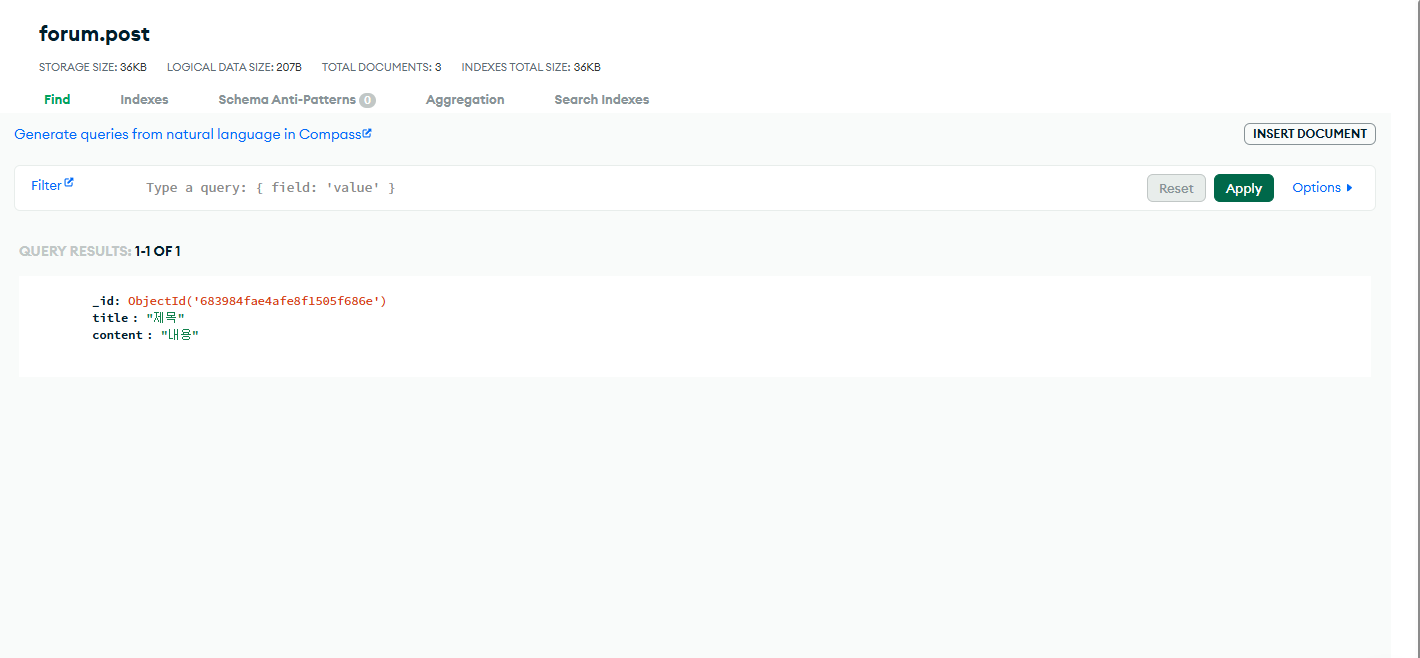
예외처리
app.post('/add', async (res, req) => {
    console.log(res.body)
    try {
    	//제목이 빈칸이라면 경고문 출력
        if (res.body.title == '') {
            req.send('제목을 입력해주세요.')
        } else {
            await db.collection('post').insertOne({ title: res.body.title, content: res.body.content })
            req.redirect('/list')
        }
    } catch (e) {
    	// 그 밖의 에러 발생 예외처리
        console.log(e)
        req.status(500).send('서버에러')
    }
})'Node.js, MongoDB' 카테고리의 다른 글
| [Node.js, MongoDB] 7. 상세페이지 만들기 (0) | 2025.06.01 |
|---|---|
| [Node.js, MongoDB] 5. REST API (0) | 2025.05.28 |
| [Node.js, MongoDB] 4. ejs (0) | 2025.05.28 |
| [Node.js, MongoDB] 3. MongoDB에서 데이터 받아오기 (0) | 2025.05.28 |
| [Node.js, MongoDB] 2. MongoDB 세팅 (0) | 2025.05.26 |